
Instead of manually emailing a finance payment link after every accepted quote, connect the acceptance event to a checked, quote-specific link and an email action. This guide shows how to send a payment link after a quote is accepted without sending duplicates, using an outdated quote or treating acceptance as completed finance.
- PayItMonthly offers UK merchants interest-free monthly instalments for their customers; confirm your supported link workflow before automating.
- To send payment link after quote accepted, check the quote version, customer email and finance payment link before dispatch.
- Use quote acceptance as the trigger, not as evidence of finance approval or payment.
- Prevent duplicate sends with a persistent dispatch record tied to the accepted quote version.
Why this matters
An accepted quote tells you the customer has agreed to the quoted purchase. It does not establish that they have selected finance, completed an application or paid. Your automation must preserve those distinctions.
PayItMonthly is best suited to UK merchants seeking interest-free monthly instalments for their customers. Review PayItMonthly when deciding whether that payment model fits your sales process. The workflow below is a configuration blueprint, not a claim that a particular connector or link-generation API exists.
For your 2026 setup, keep quote acceptance, message dispatch and payment confirmation as separate records. That gives your sales team a clear next action without turning an email notification into a false payment status.
Before you start
- Accounts and access: You need access to your quoting system, its supported automation method and your business email service. Confirm how your finance provider supplies transaction-specific links and whether automated creation or dispatch is supported.
- Required records: Gather the quote identifier, accepted version, customer email, accepted purchase details and the matching finance link. Identify who owns exceptions when any required record is missing.
- The hidden gotcha: A quote record can be edited after acceptance. Capture the accepted version and match the link to that version; do not silently substitute the latest draft.
Gate the automation on a valid link, not just an accepted status. If automatic link creation is not supported, build a staff approval task first and automate dispatch only after a checked link is recorded.
Do not build the customer-facing email around guessed finance terms. Use wording approved for your merchant arrangement, and keep customer application information out of the quoting system unless it is genuinely required.
Choose your dispatch workflow
There are two practical configurations. Pick according to the capabilities you have confirmed, not the connector you hoped to find.
| Workflow | Best for | Advantage | Limitation |
|---|---|---|---|
| Checked-link dispatch | Merchants who prepare or approve finance links manually | Automates the email without requiring automatic link creation | A staff member must supply and verify the link |
| Supported link creation and dispatch | Merchants with a documented link-creation integration | Connects acceptance, link creation and email dispatch | Requires confirmed integration access and more failure handling |
Start with checked-link dispatch when link creation is unconfirmed. This removes repeated email composition while retaining a deliberate check on the customer, quote and finance destination.
Use supported link creation only when the provider documents the action and the necessary inputs. A general webhook or email connector does not, by itself, create a finance transaction.
Acceptance trigger
The first configuration unit decides which quote event is allowed into the workflow. For the 2026 launch, use the quoting system's documented acceptance event or an equivalent supported status-change trigger.
The record names below are suggested fields you create in your workflow. They are not quoted interface labels from a particular application.
- Select the acceptance event. Use the event that represents customer acceptance, rather than quote creation, viewing or editing. If you monitor status changes, check that the record has entered the accepted state.
- Capture the accepted record. Store the quote identifier, accepted version, acceptance time and customer reference. Retrieve purchase details from that accepted record, not from a later draft.
- Check the payment choice. Continue only when sending a finance invitation matches the customer's recorded choice or the agreed sales process. Acceptance alone must not select finance for the customer.
- Create an event key. Combine the quote identifier, accepted version and message purpose into a persistent identifier. Use this key throughout the workflow to recognise repeated processing.
- Reject incomplete events. Send records with missing identifiers or an unclear acceptance state to a staff review queue. Do not send an email just because part of the event looks valid.
Expected result: A genuinely accepted quote produces a traceable workflow record. Drafts, unrelated edits and records already handled for the same purpose do not progress to dispatch.
Quote and link checks
The second configuration unit joins the accepted purchase to its finance destination. PayItMonthly provides buy-now-pay-later instalment finance; your setup still needs a confirmed method for supplying the correct transaction link.
- Retrieve the destination email. Use the customer contact associated with the accepted quote. Stop for staff review if the address is missing or does not match the intended recipient.
- Retrieve the finance link. For checked-link dispatch, read the link that staff have prepared and approved. For supported automatic creation, use only the documented integration action and its required inputs.
- Match the transaction. Check that the link belongs to the intended customer and accepted purchase. Verify the purchase details against the accepted version rather than trusting a link copied from another record.
- Define your approval field. Create a workflow field such as Link checked. Set it only after the required checks succeed; a non-empty URL is not enough.
- Handle missing links deliberately. Create a task for the responsible staff member and leave the message unsent. Resume the workflow after approval, repeating the version and duplicate checks.
Expected result: Every eligible record has a checked finance destination linked to the accepted quote. Records without a verified destination remain in review rather than reaching the email action.
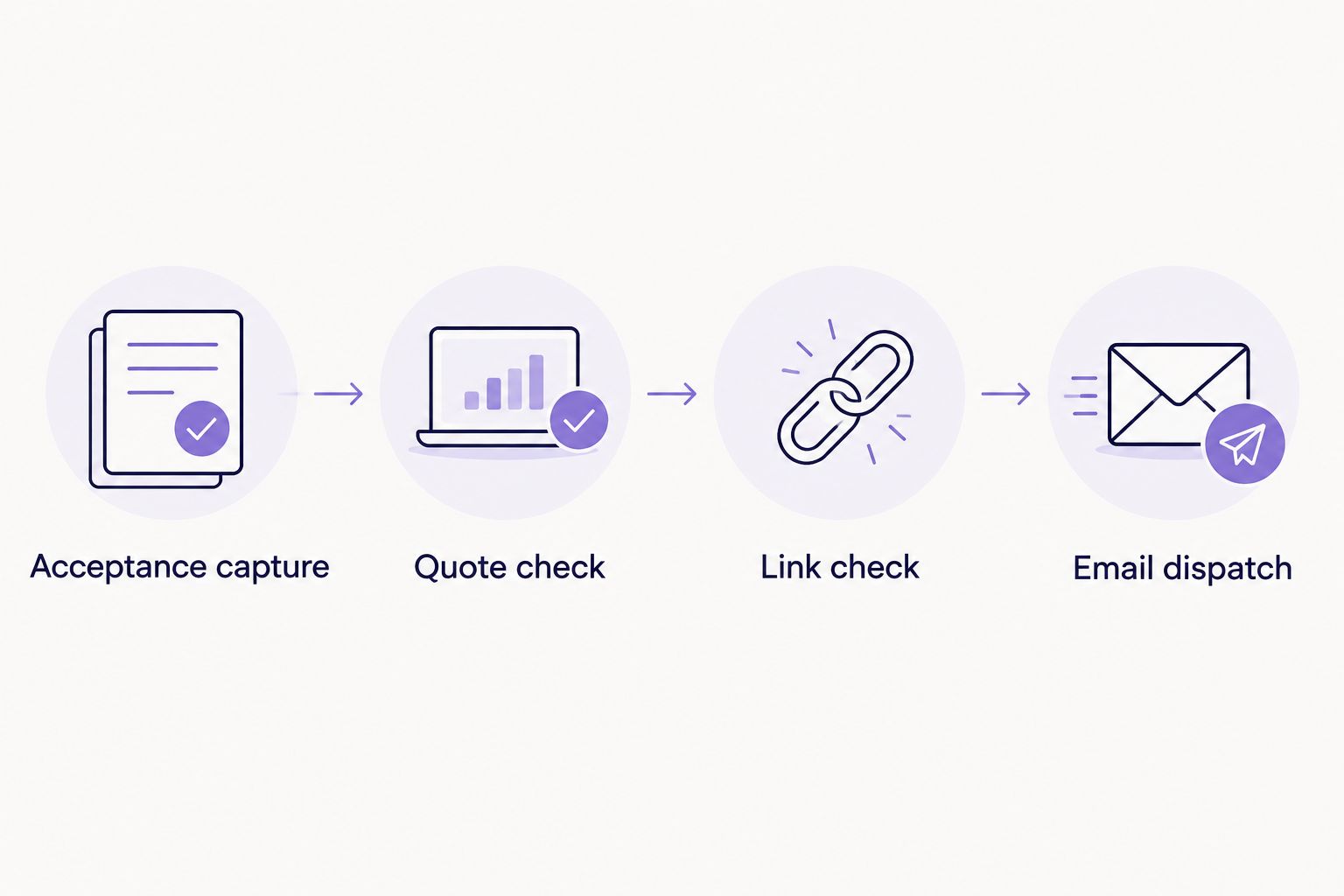
Use these four stages as the handover checklist: Acceptance capture, Quote check, Link check and Email dispatch. Each stage needs an explicit pass condition.
Customer email
The third configuration unit sends the checked link without overstating what the customer has completed. Treat the message as a finance invitation, not a receipt.
- Write a clear subject. Include the quote reference and the purpose of the message. Avoid wording that announces finance approval or payment completion.
- Confirm the accepted purchase. Insert the quote reference and a short description from the accepted record. Keep the description recognisable without exposing unnecessary customer information.
- Insert the checked destination. Map the approved link into the email action. Use descriptive button or link text that explains the next step, rather than implying the customer has already obtained finance.
- Explain the next action. Ask the customer to review the finance information and follow the provider's process. Include only terms approved for that transaction.
- Verify the outgoing message. Use your email service's supported preview or test method. Check the recipient, quote reference, destination and formatting before enabling live dispatch.
Expected result: The customer receives a quote-specific finance invitation with an understandable next step. The message does not promise acceptance or claim that sending a link completes payment.
For your 2026 email template, have the person responsible for finance communications approve the wording before launch. The guide to explaining interest-free finance terms to customers covers the customer explanation that should sit alongside the link.
Dispatch records and testing
The final configuration unit prevents repeat sends and records what happened. A successful email action must never automatically mark the quote as paid.
- Reserve the dispatch key. Before sending, create or acquire a persistent record for the event key. Use a uniqueness control or equivalent supported locking mechanism so simultaneous runs cannot both proceed.
- Track processing states. Record pending, in-progress, sent and review outcomes in your own workflow. These are proposed operational states, not assumed finance-provider statuses.
- Record confirmed dispatch. Store the email service's message identifier when supplied, alongside the quote version and dispatch time. Distinguish acceptance by the email service from confirmed delivery.
- Handle uncertain outcomes. If an email action times out, check the service's message record before retrying. An uncertain response is not proof that no email was sent.
- Run controlled tests. Process 3 copies of the same acceptance event and confirm that only 1 customer message is dispatched. Then test 1 missing-link record and verify that it stops for review.
Expected result: You can trace each acceptance event to a send or an exception. Repeated events do not produce repeated customer messages, and payment status remains unchanged.
Make this your 2026 launch acceptance check: the workflow must stop safely when a required field is absent. A working happy-path demonstration is not enough.
Send after an accepted quote is updated
A revised accepted quote needs its own control path. Do not attach automatic finance dispatch to every quote edit.
- Detect a material revision. Identify changes to the accepted purchase details that affect the finance transaction. Internal notes and spelling corrections should not trigger a new invitation by themselves.
- Require renewed acceptance. Capture the customer's acceptance of the revised quote before preparing the replacement finance destination.
- Resolve the previous transaction. Check the provider's supported process for replacing, cancelling or otherwise handling the earlier link or application. Never assume creating a new link invalidates the old one.
- Use the new version key. Match the checked destination to the newly accepted version and apply the same duplicate controls before dispatch.
Expected result: The revised invitation corresponds to the revised agreement. The earlier transaction has a documented handling decision rather than being left ambiguous.
If the customer has already completed finance, route the change to staff instead of issuing a replacement automatically. A purchase change is not merely an email-template change.
Troubleshooting
The customer receives duplicate messages
Check whether repeated events or simultaneous runs bypassed the dispatch reservation. Put the uniqueness check before the email action and test concurrent processing, not just sequential retries.
The link relates to an older quote
Check whether the workflow retrieved the current quote record instead of the accepted snapshot. Match the finance destination to the accepted version and stop when that match cannot be established.
The quote is accepted but no email arrives
Inspect the workflow's review state before retrying. A missing link, failed recipient check or unapproved transaction should stop dispatch; a sent message needs a separate delivery investigation through the email service.
A timeout causes a second send
Check the email service's dispatch record before repeating the action. Where the outcome remains uncertain, send the record to staff review rather than restarting the entire workflow blindly.
The quote becomes marked as paid after dispatch
Remove the email action's connection to payment status. Update payment records only from the authoritative confirmation appropriate to your provider arrangement, not from a quote acceptance or message-send event.
Customize your workflow
Once dispatch works, add an exception queue showing the quote reference, accepted version, failed check and responsible staff member. That is more useful than a generic failure email with no next action.
For your 2026 operating process, nominate an owner for template changes, integration access and transaction exceptions. Review those controls whenever you change the quoting system or finance arrangement.
Add customer follow-up only after defining its stop conditions. A customer reply, purchase cancellation or confirmed completion should prevent an inappropriate reminder; a previous message being sent does not establish any of those outcomes.
Ask PayItMonthly about the supported finance-link process before choosing automatic creation. Keep the checked-link workflow if it meets your operational needs without an unverified integration.
FAQ
How do I send a payment link after a quote is accepted?
Connect the quote-acceptance event to a workflow that verifies the accepted version, customer email and matching payment link before sending. Record dispatch against a unique quote-version key to prevent duplicate messages.
Can I automate a finance payment link without a link-creation API?
You can automate dispatch of a link that staff have already prepared and checked. Stop the workflow until that quote-specific link is approved; do not assume your automation service can create it.
Does accepting a quote mean the customer's finance is approved?
No. Quote acceptance records agreement to the quoted purchase, not finance approval or payment completion. Keep those events separate in your workflow.
Can I use this workflow with PayItMonthly?
Use this blueprint only with the link-creation and dispatch methods confirmed for your PayItMonthly merchant arrangement. The platform provides interest-free monthly instalments, but that does not establish a particular connector or API capability.
How do I stop an accepted quote from sending duplicate emails?
Reserve a persistent dispatch key before the email action runs. Tie that key to the quote identifier, accepted version and message purpose, and check uncertain email outcomes before retrying.
What happens if the customer changes an accepted quote?
Require acceptance of the revised purchase and verify a finance destination for the new version. Resolve the earlier transaction through the provider's supported process before sending a replacement invitation.
Should sending the payment link mark the quote as paid?
No. Sending a link records a communication, not a completed payment. Update payment status only from the authoritative confirmation appropriate to your finance arrangement.
One last thing
Test the interrupted send, not just the successful send. Pause the workflow after the email service accepts the message but before your system records success, then check what happens on retry.
That gap is where a duplicate-control design proves itself. Your workflow should reconcile the existing message or request staff review—not assume the customer needs another link.