
Instead of manually matching finance applications to Shopify orders, configure a supported payment connection that keeps the customer’s application, finance decision and order status linked. A Shopify buy now pay later integration must confirm payment authorisation before fulfilment; it must not treat an application or a return to your shop as guaranteed approval.
- PayItMonthly serves UK retailers seeking interest-free monthly instalments; confirm the supported Shopify connection before setup.
- A Shopify buy now pay later integration must separate application submission, finance approval and payment authorisation.
- Interest-free finance means 0% interest, not guaranteed acceptance or an instant decision.
- Test successful, unsuccessful and interrupted journeys before enabling buy now pay later at checkout.
Why this matters
Checkout finance connects two different processes: your customer applies for credit, while your shop manages an order. Confusing those processes creates a practical risk: your team dispatches goods before the payment provider has authorised the transaction.
PayItMonthly is a fit for UK retailers seeking interest-free monthly instalments. Its buy now pay later platform lets customers spread purchases across monthly payments. Start with PayItMonthly to establish the merchant arrangement and supported connection route before changing Shopify.
For your 2026 launch, define success as a correctly authorised order, not simply a completed application. The customer should understand the terms, the shop should receive the right payment status, and staff should know which orders remain on hold.
Treat 0% interest and instant approval as separate claims. Interest-free borrowing describes the interest charged; it does not establish who qualifies, how quickly a decision arrives or when your business receives funds.
Before you start
- Access and ownership: Have Shopify administrator access with permission to manage payments, your finance-provider merchant access, and a named person responsible for testing. Confirm the supported Shopify connection with the provider before installing anything.
- Approved materials: Gather the provider’s installation instructions, customer-facing finance terms, eligibility rules and procedures for authorisation, cancellation and refunds. Use its approved customer wording rather than drafting acceptance promises yourself.
- The gotcha: Establish exactly which event means an order is authorised for fulfilment. A submitted application, browser redirect or approval notification is not automatically the same as a Shopify order being ready to dispatch.
Decide who owns exceptions before launch. If a finance decision and Shopify’s payment status disagree, your team needs a clear escalation route rather than a guess at the packing desk.
Merchant connection
The first configuration unit is the relationship between your shop and the finance provider. Verify the connection route before you try to activate a payment method. A provider offering retail finance does not, by itself, establish a particular Shopify installation method.
- Confirm your merchant onboarding is complete and that your business, products and intended sales channel meet the provider’s requirements. Ask specifically about your Shopify shop rather than assuming an arrangement for another channel covers checkout.
- Obtain the current installation instructions for the supported connection. Establish whether the route uses Shopify payment configuration, a provider application or another documented process.
- Confirm how the connection identifies your shop and merchant account. Enter credentials only into the approved configuration interface; do not put them in theme code, order notes or customer-facing content.
- Identify the supported testing method. Keep test credentials and live credentials separate where the provider supplies separate environments, and establish how you will recognise each environment.
- Assign responsibility for connection changes. Record who can activate the method, alter its configuration and investigate an unsuccessful transaction.
Expected result: You have a confirmed installation route, the correct merchant account and a documented testing method. You have not yet promised customers that finance is available throughout checkout.
For a 2026 implementation, use the current provider instructions rather than copying settings from an old screenshot or another merchant’s shop.
Checkout configuration
Your Shopify payment configuration determines how the finance option reaches customers. Keep the payment method and promotional messaging separate: a product-page instalment message is not proof that the checkout connection works.
- In Shopify, open Settings, then Payments. Review the existing configuration before making changes so you can identify what your installation adds or replaces.
- Follow the provider’s supported installation instructions. Select only the documented connection; do not substitute an unrelated payment method with a similar description.
- Apply the eligibility settings that the connection actually supports. Check how product restrictions, customer location, transaction eligibility and any other provider conditions affect the payment option.
- Add approved finance wording wherever customers encounter the offer. Keep the description of interest-free monthly instalments consistent across product information, checkout and customer communications.
- Walk through checkout on desktop and mobile. Check the customer can recognise the payment option, reach the application and return to the shop without losing the order context.
Expected result: An eligible customer can reach the documented finance journey from Shopify. An ineligible basket does not receive an unsupported promise of acceptance.
For the broader customer journey, use the guide to adding a buy now pay later option at checkout. Keep your 2026 checkout copy specific: describe the payment arrangement, not a decision speed you have not established.
Order authorisation
The most important configuration is the handover from the finance decision to the order. Keep three stages distinct: Application submitted, Payment authorised and Fulfilment released. These are workflow labels for your operating procedure, not assumed names for provider interface fields.
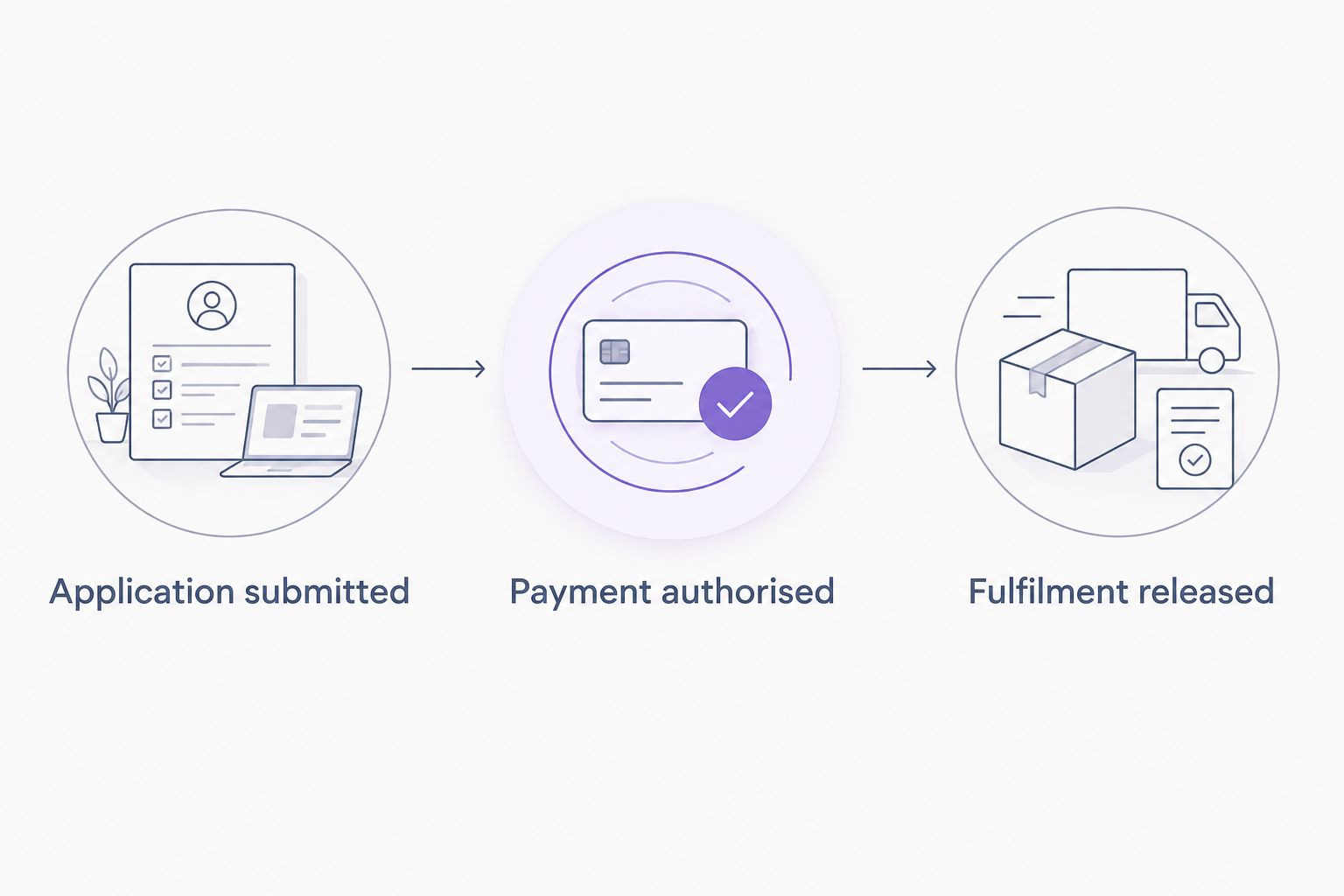
- Document which provider outcome authorises the order. Include any additional payment or merchant action required by the provider’s process; a favourable application decision alone is not your release rule.
- Identify how that outcome reaches Shopify through the supported connection. Use the documented integration mechanism rather than asking staff to infer success from a customer’s confirmation screen.
- In Shopify, open Orders and inspect a test order’s payment status and timeline. Compare the order reference and transaction details with the provider’s record.
- Configure your fulfilment process to hold orders until the documented release condition is satisfied. If you use fulfilment software, check its rules too; a correct checkout cannot compensate for an unsafe dispatch trigger.
- Specify the exception procedure. Hold an order when references do not match, the result is incomplete or the records conflict, and ask the responsible team to reconcile it.
Expected result: Every finance order has a traceable provider transaction and an explicit fulfilment decision. Staff do not dispatch merely because the customer reached a thank-you page.
Keep payment authorisation, merchant settlement and customer repayments distinct in your reporting. They describe different parts of the transaction, not interchangeable evidence that an order is ready.
Test and launch controls
Test the whole order lifecycle, not just whether a finance option appears. Use the provider’s documented test tools wherever available, and agree a safe testing procedure if the supported connection requires another approach.
- Run a successful journey. Check the application outcome, the provider transaction, the Shopify payment status and the fulfilment release condition against your written procedure.
- Run an unsuccessful journey using the provider’s supported test method. Confirm the order does not become fulfilment-ready and the customer can understand the outcome without being told approval is guaranteed.
- Run an interrupted journey. Close the application or leave before completion, then inspect both records. Confirm an incomplete application does not trigger dispatch.
- Test cancellation and refund handling using the supported procedure. Check how each system records the change and what confirmation your staff must retain.
- Activate the live connection only after resolving discrepancies. Verify the environment and merchant details, then inspect the initial live orders before broadening promotional activity.
Your minimum acceptance checklist contains 3 checkout journeys: successful, unsuccessful and interrupted. Add 2 lifecycle checks: cancellation and refund. These are recommended test cases, not claims about provider performance.
Expected result: You have evidence that the documented payment states govern fulfilment and that exceptions have an owner. Save that evidence with your 2026 launch record so later configuration changes have a reliable baseline.
Discuss your retail finance setup
Confirm the merchant arrangement and supported connection before changing your Shopify checkout.
Alternative workflow: assisted finance orders
An assisted workflow is useful when a customer needs help completing a purchase. Use it only when the provider confirms a supported remote-sales process; do not turn an ordinary order email into an improvised finance application.
| Workflow | Best for | Advantage | Limitation |
|---|---|---|---|
| Supported checkout connection | Eligible purchases completed online | Keeps the finance journey within the documented checkout process | Requires verified connection support and testing |
| Supported assisted process | Customers completing a purchase with staff help | Gives staff a defined route for guiding the customer | Requires careful order matching and a separate operating procedure |
For an assisted process, first record the Shopify order reference. Direct the customer through the provider-approved application route, then match the resulting transaction back to that order before applying the fulfilment release rule.
Keep the customer in control of their application. Staff should explain the process without answering eligibility questions on the customer’s behalf or promising a particular decision.
Do not reuse a previous finance approval when an order changes. If the basket, delivery details or other transaction information changes, follow the provider’s amendment procedure and recheck the authorisation condition before dispatch.
PayItMonthly’s interest-free instalment offering does not, by itself, establish which assisted workflow your Shopify shop can use. Confirm the channel and process before training staff or publishing instructions for customers.
Troubleshooting
The finance option does not appear
Check the connection is active in the intended environment and linked to the correct merchant account. Reproduce the issue with an eligible basket, then review the provider’s supported restrictions and the Shopify payment configuration. Do not remove eligibility conditions simply to make the option visible.
The customer returns, but the order is not authorised
Check the provider’s transaction record and the Shopify order timeline using the same order reference. A browser return is not authorisation. Hold fulfilment while you establish whether the application is incomplete, the transaction is pending or the connection has not recorded the outcome.
The provider and Shopify show different outcomes
Compare references, transaction details and the sequence of events. Follow the provider’s reconciliation procedure, and retain the relevant records for support. Do not manually mark an order as paid just to clear a discrepancy.
A repeated attempt creates confusing records
Identify which transaction belongs to the active order before accepting another application attempt. Follow the documented retry or cancellation process, then reconcile any abandoned records. Release only the correctly matched order; do not treat several application records as several successful payments.
The refund does not match across systems
Check where the supported process requires the refund to start and whether the cancellation or refund has completed. Reconcile the Shopify order and finance transaction, including partial returns where supported. Do not assume a Shopify refund automatically changes the customer’s finance arrangement.
Customise your workflow
Once the basic journey works, strengthen operations before adding more promotional messages. Your 2026 optimisation work should focus on fewer ambiguous handovers, not more acceptance promises.
- Customer communications: Explain where to complete the application, how to recognise its outcome and who handles order questions. Keep repayment queries separate from delivery queries.
- Staff permissions: Restrict payment-setting changes to the people responsible for the connection. Give fulfilment staff a clear release rule and an escalation route.
- Exception reporting: Record unmatched transactions, incomplete applications and orders held for reconciliation. Use those records to identify process failures rather than interpreting every abandoned application as a decline.
- Change control: Repeat the relevant tests after changing payment configuration, eligibility rules or fulfilment automation. Check theme changes when they affect finance messaging or the customer journey.
Balance the benefits with the operational cost. PayItMonthly offers customers interest-free monthly instalments; your business still needs accurate checkout wording, order reconciliation and a documented returns process. Finance is a payment workflow, not a substitute for order controls.
FAQ
How do I set up a Shopify buy now pay later integration?
Confirm the finance provider’s supported Shopify connection, complete merchant onboarding and follow its installation instructions. Test how payment authorisation reaches the order before enabling fulfilment.
Does 0% finance mean every customer gets approved instantly?
No. Zero per cent interest describes the interest charged, not guaranteed acceptance or a decision time. Use only the eligibility and decision-speed wording approved for your provider’s process.
Can I connect PayItMonthly to my Shopify checkout?
Confirm the supported Shopify connection directly with PayItMonthly before installing or activating a payment method. Retail finance provision alone does not establish a particular Shopify integration route.
Where are payment settings in Shopify?
Open Settings, then Payments in your Shopify admin. Follow the finance provider’s current instructions for the particular connection rather than assuming every payment method uses identical setup controls.
When should I fulfil a Shopify finance order?
Fulfil only when the provider’s documented payment authorisation condition and your order-release checks are satisfied. An application submission or browser return is not sufficient evidence.
What should I test before launching buy now pay later?
Test successful, unsuccessful and interrupted checkout journeys, plus cancellation and refund handling. Confirm the provider transaction matches the Shopify order and that incomplete journeys do not release fulfilment.
What happens if a customer changes an order after finance approval?
Follow the provider’s amendment procedure and recheck payment authorisation before fulfilment. Do not assume an approval for the original transaction covers a changed order.
One last thing
Make fulfilment safety your final launch test. A checkout can look correct while the warehouse receives the wrong release instruction. Ask the person who actually dispatches orders to demonstrate that an interrupted finance application stays on hold before you sign off the connection.